Fidget Trade-Up is all about trading your way to a better fidget collection. You start with 10 Common fidgets. Traders show up with offers, you decide what to give, and step by step you trade up to rarer, better toys. Along the way, the Math Lab gives you a way to win fidgets with your brain instead of your tray. Your goal: find all 150.
1. Check out the trader's offer
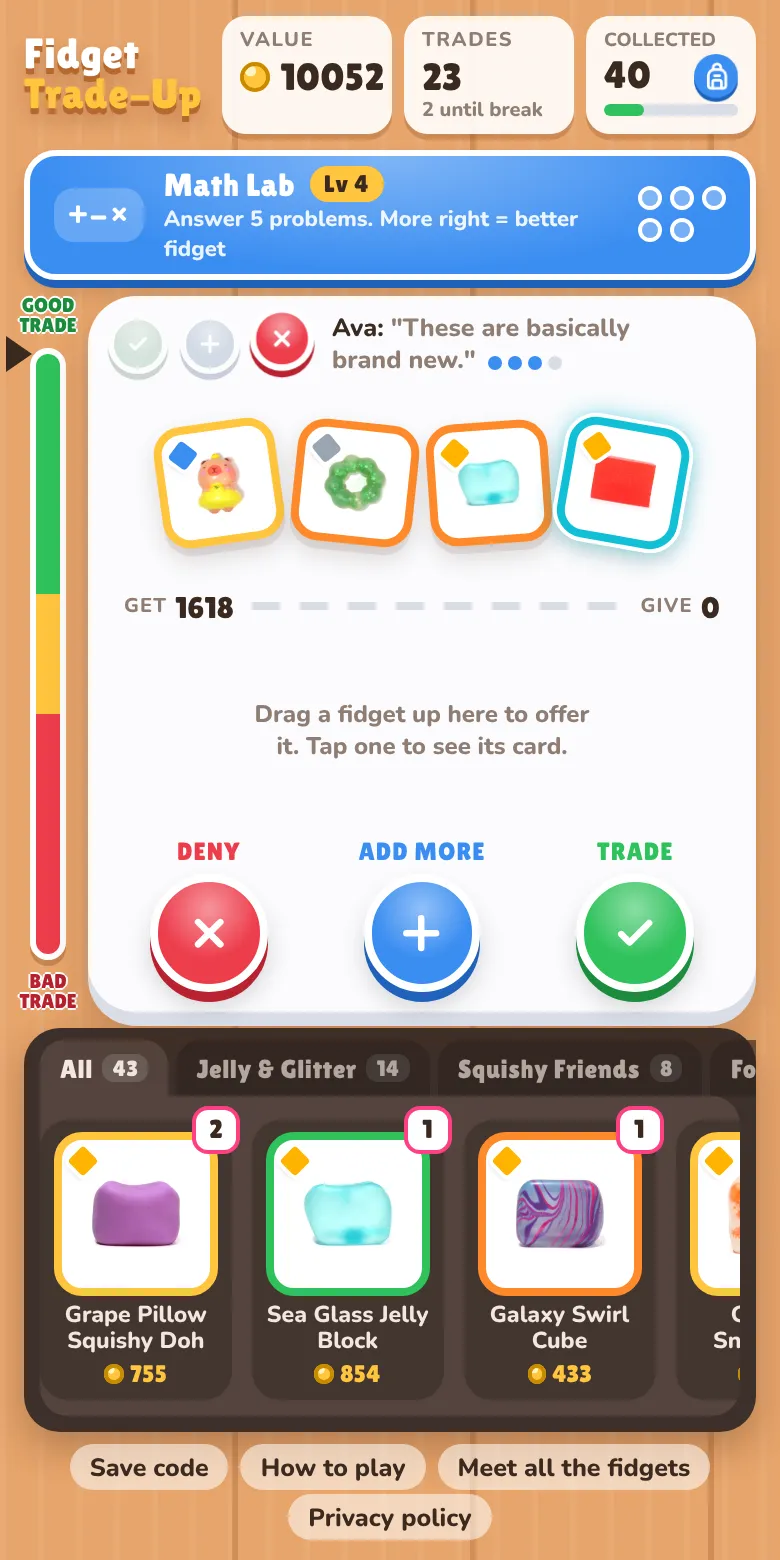
A trader is always waiting at the top of the board with up to 4 fidgets. Tap any fidget to see its card: its name, rank, rarity, quality and how many coins it's worth.
The board shows two numbers. Get is the total value of what the trader is offering. Give is the total value of what you're putting up. The trade meter on the left side shows how good the deal is for you. The higher the arrow, the better.
The three lights next to the trader tell you how they feel: a red X means "not even close," the plus means "close, add a little more," and the green check means "Deal!"
2. Make your offer
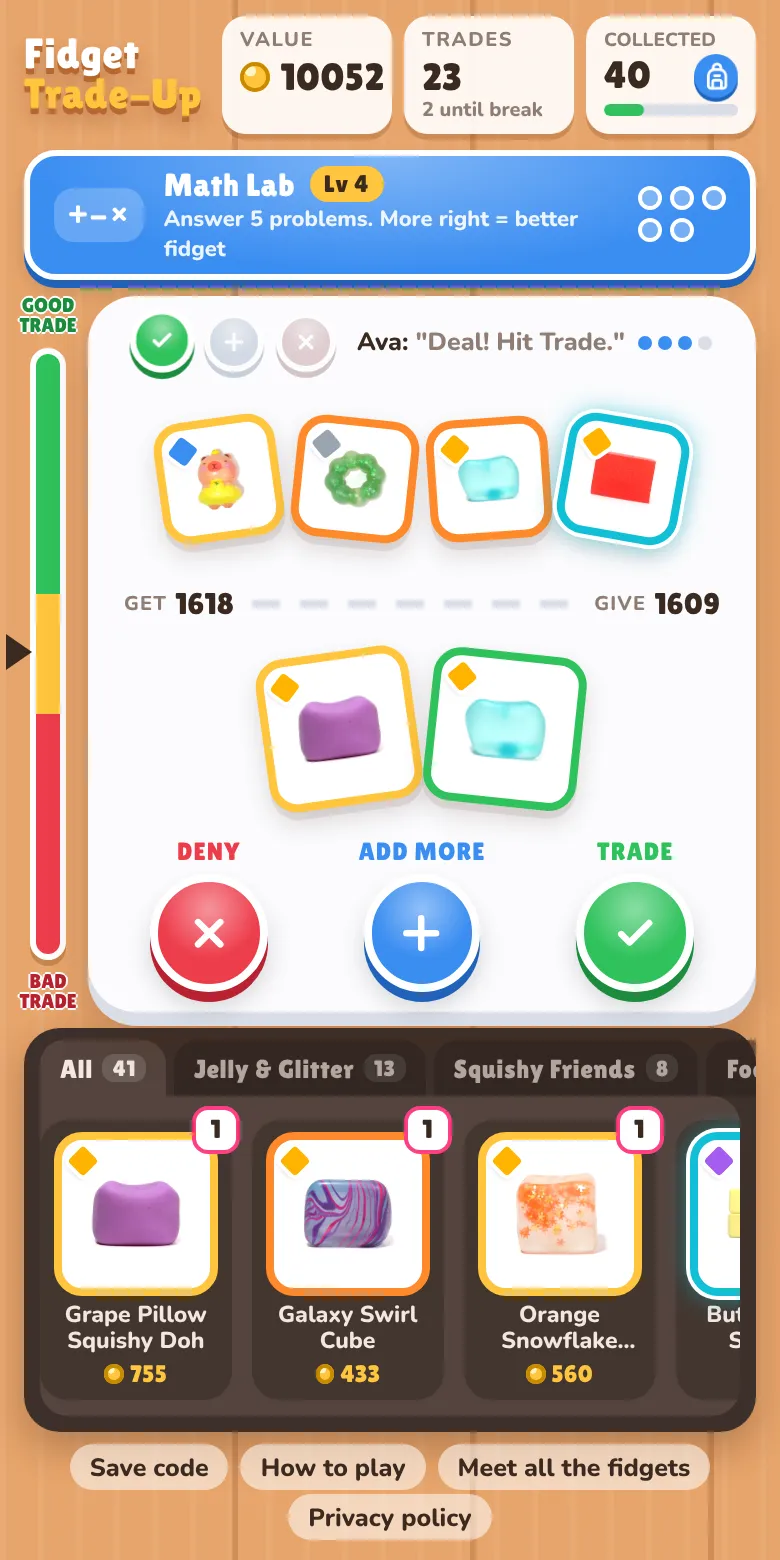
Drag fidgets from your tray up onto the board, or tap one and choose Offer in trade. To take something back, drag it back down to your tray or tap it and choose Take it back.
When the green light comes on, tap Trade. The fidgets swap, and new ones go into your Collection Book.
Not happy with the offer? You have three buttons:
- Trade makes the deal. If the trader isn't ready, they'll say no, and it costs some of their patience.
- Add More asks the trader for a better deal. Most of the time they throw in another fidget, but they might ask for more in return, and sometimes they just raise their price.
- Deny sends the trader away, and the next one shows up.
Watch the little dots next to the trader's name. That's their patience. When it runs out, they won't add anything else, and if you keep pushing they'll pack up and leave.
3. Know what your fidgets are worth
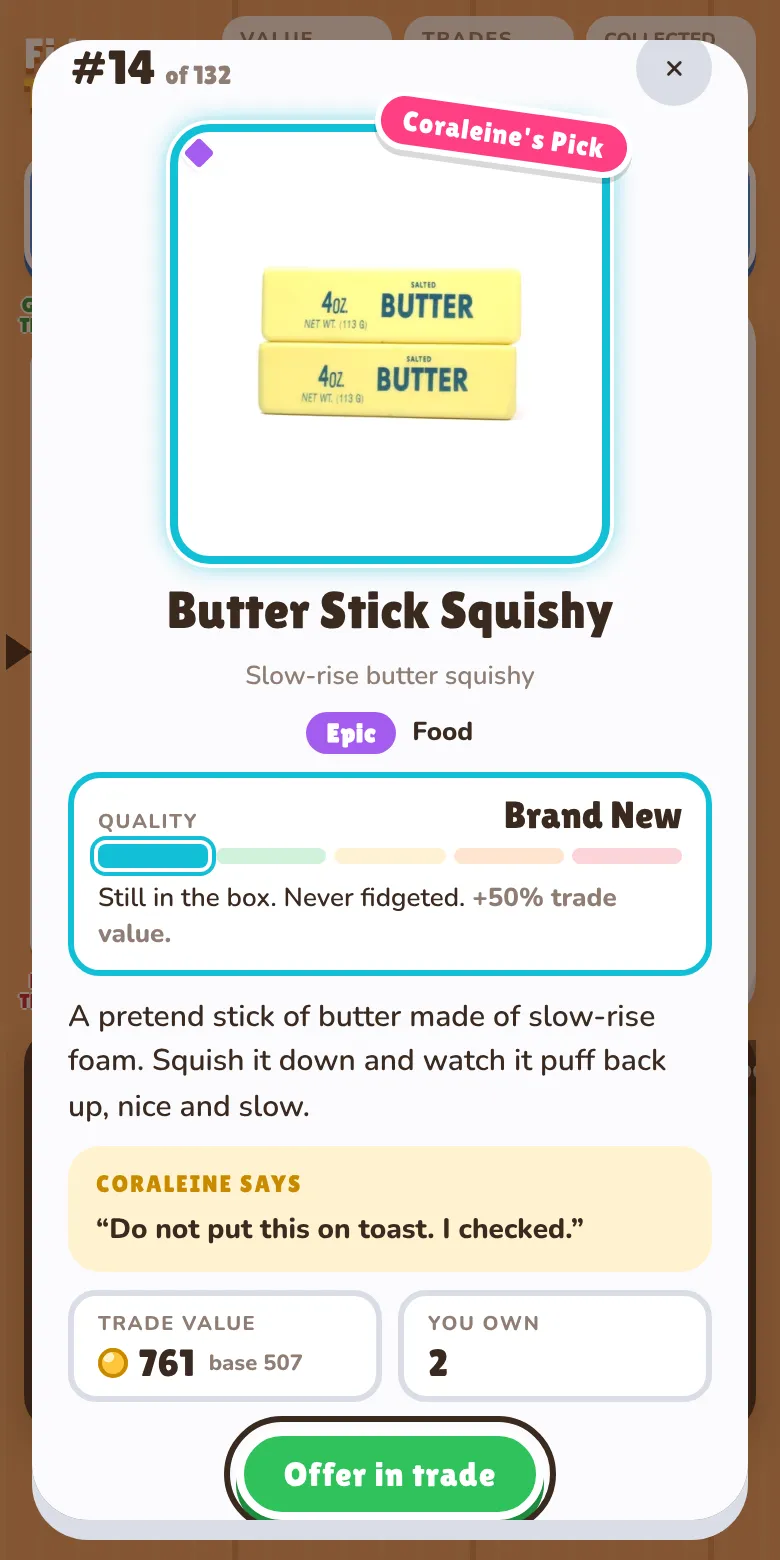
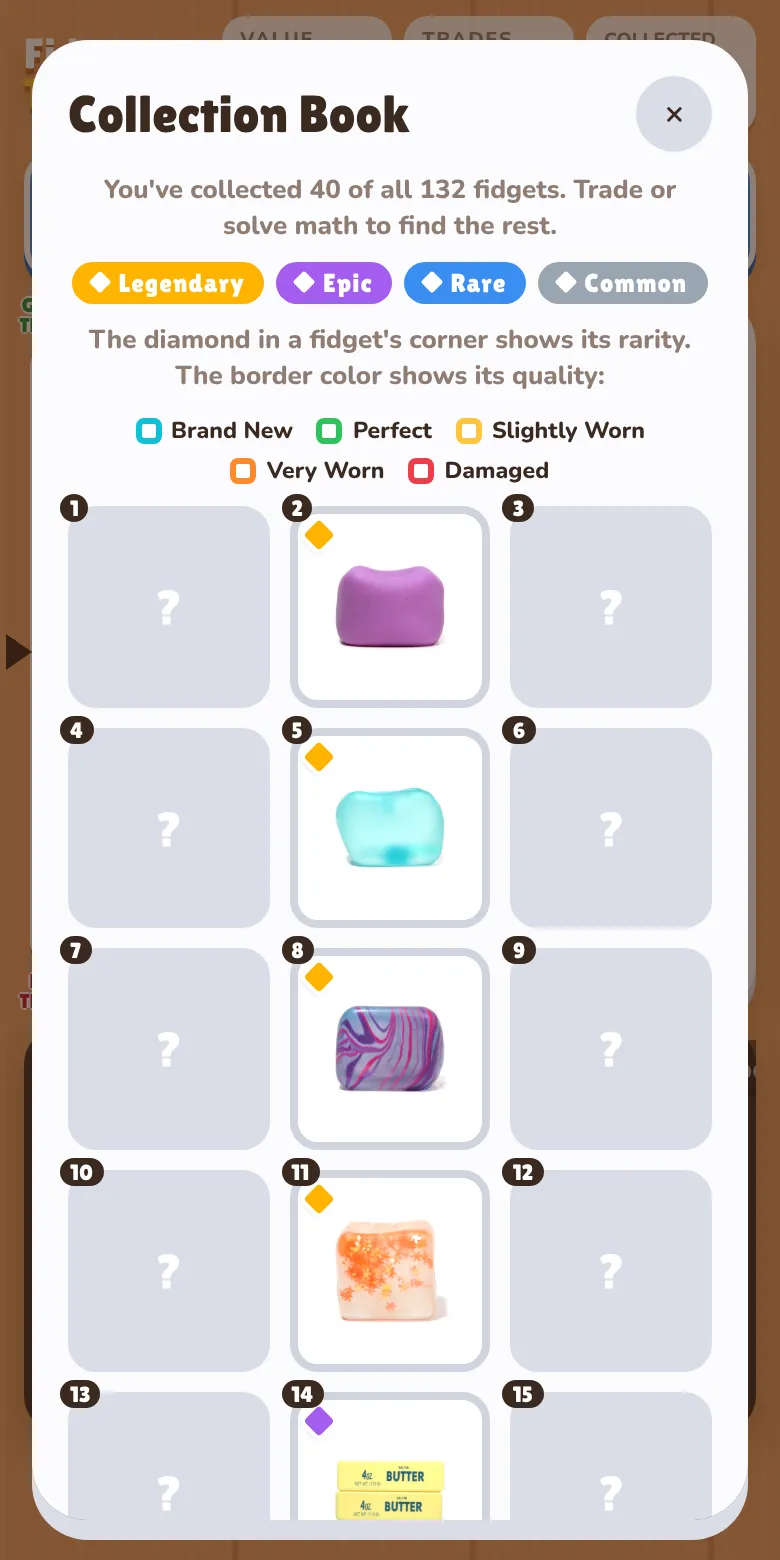
Every fidget has a rank from #1 to #150. Rank #1 is worth the most coins. Ranks are grouped into four rarities, shown by the little diamond in a fidget's corner:
The top 10% are Legendary, the next 20% Epic, the next 30% Rare and the rest Common.
Every copy of a fidget also has a quality, shown by its border color. Quality changes what it's worth:
- Brand New (blue): +50% value
- Perfect (green): +25%
- Slightly Worn (yellow): normal value
- Very Worn (orange): −30%
- Damaged (red): −60%
So a Brand New Common can sometimes be worth more than a Damaged Rare. Check the card before you trade!
4. Win fidgets in the Math Lab
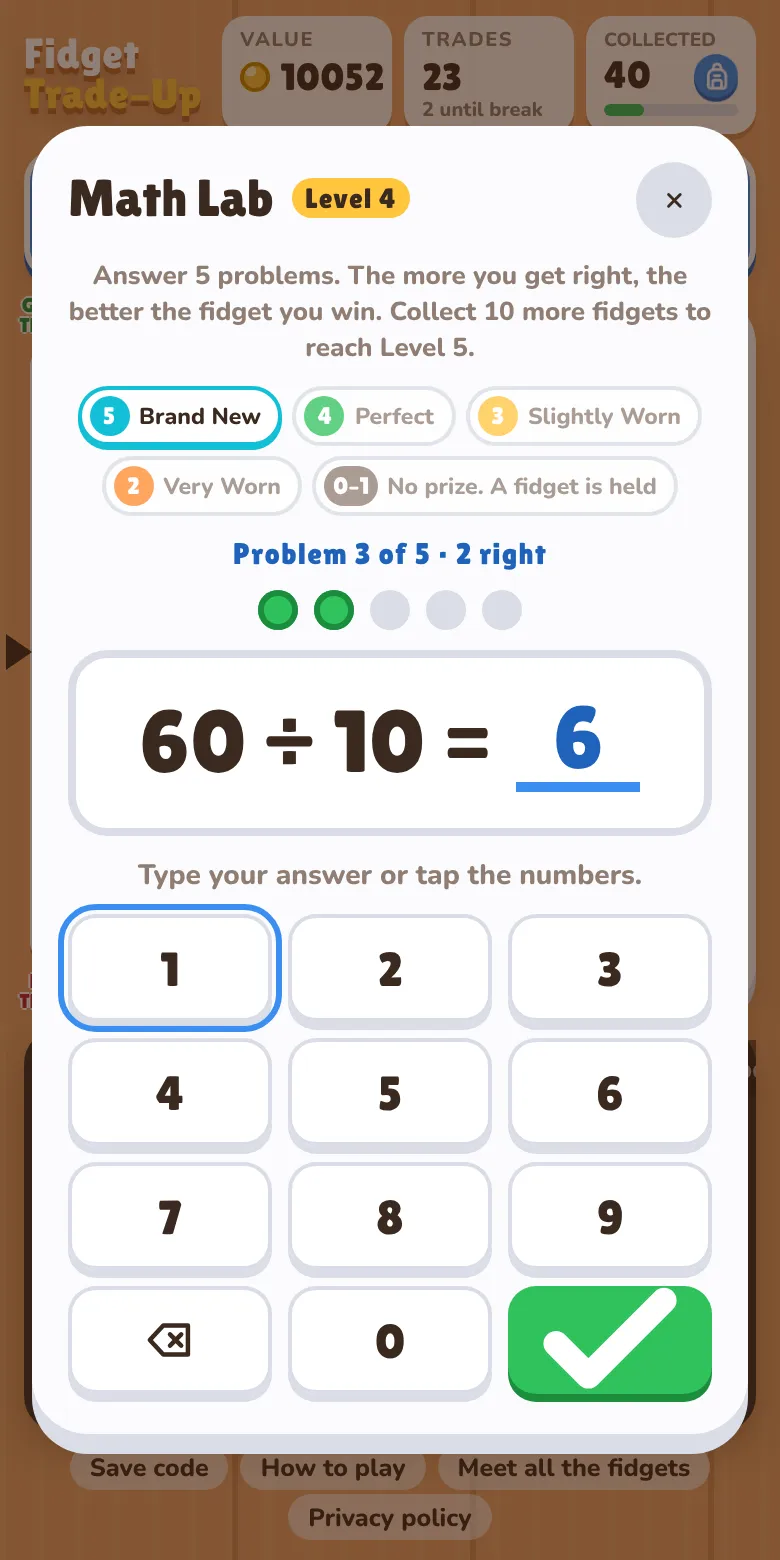
Tap the blue Math Lab bar to play a round. A round is 5 problems. Type your answer with the number pad or your keyboard. When the round is done, you win a fidget, and the more you got right, the better its quality:
- 5 right: Brand New
- 4 right: Perfect
- 3 right: Slightly Worn
- 2 right: Very Worn
- 0 or 1 right: no prize, and one of your fidgets is held by the Math Lab until you pass a round
Math Lab prizes try to give you fidgets you haven't found yet, so it's a great way to fill your Collection Book. Most prizes are Common, but you can win a Legendary.
Math breaks: every 5 trades, trading pauses until you finish a Math Lab round. The problems get harder as your collection grows: you move up a level for every 10 fidgets you find.
5. Fill your Collection Book
Tap the Collected box with the backpack at the top of the screen to open your Collection Book. It has a spot for every fidget from #1 to #150. Fidgets you've found show their photo; the ones you haven't found yet are question marks.
New fidgets added to the game wear a pink NEW! sticker for a while, even on the question marks, so you know what to hunt for.
6. Save your game
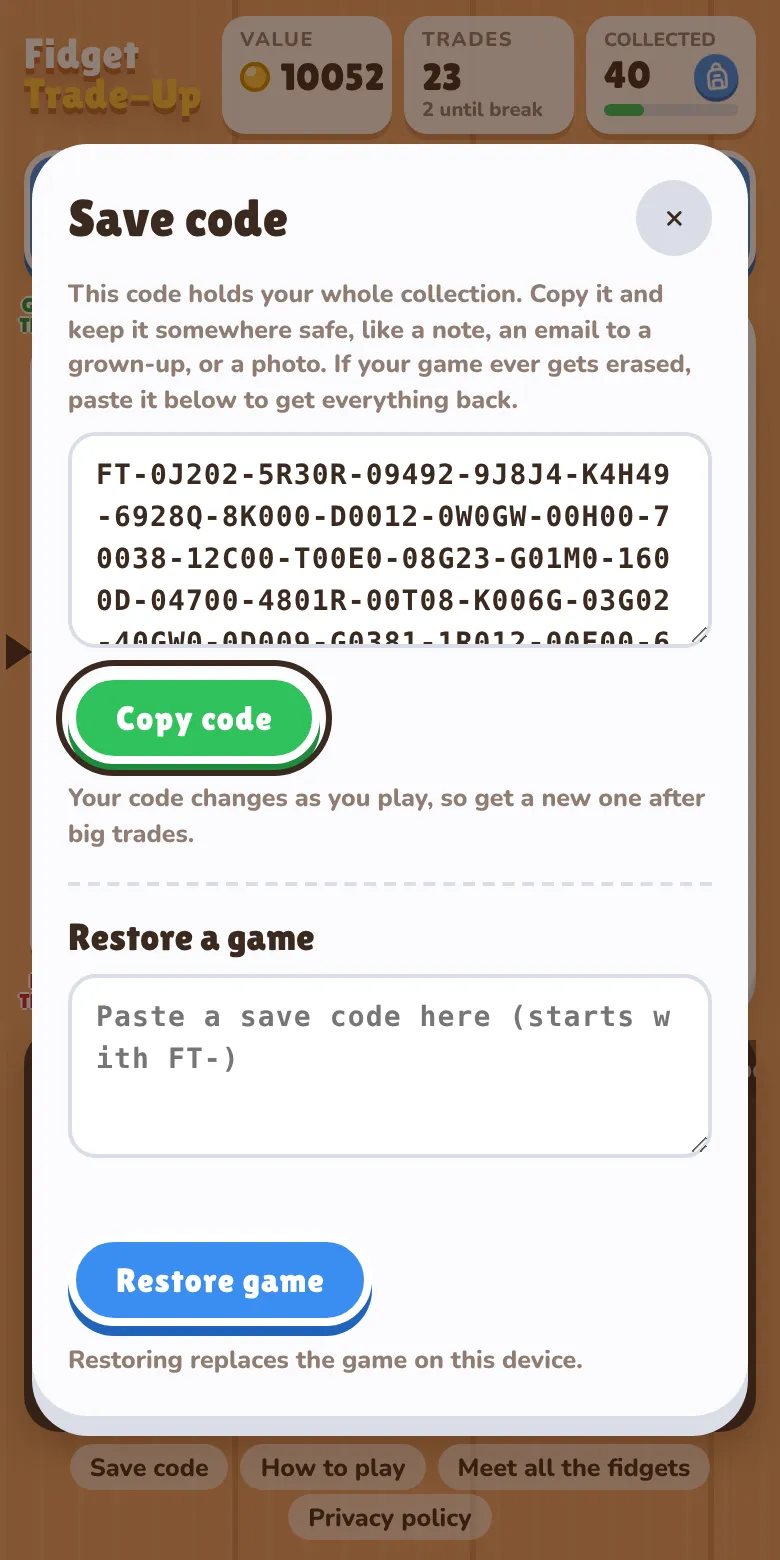
Your game saves by itself in your browser. But if someone clears the browser's cookies and site data, the game gets erased too. To be safe, tap Save code at the bottom of the screen and copy your code somewhere safe, like a note or an email to a grown-up.
If your game ever disappears, open Save code, paste your code into Restore a game and tap Restore game. You can also use a save code to move your collection to another phone, tablet or computer.
Tips from Coraleine
- Don't trade away your favorites just because a trader asks. You can always tap Deny.
- If the light says "close," try adding a small Common instead of a big Rare.
- Add More can backfire! Use it when the trader still has lots of patience dots.
- Brand New fidgets are worth a lot more. Ace the Math Lab to win them.
- Get your save code after a really good trade.